WX20210426-141749@2x.png
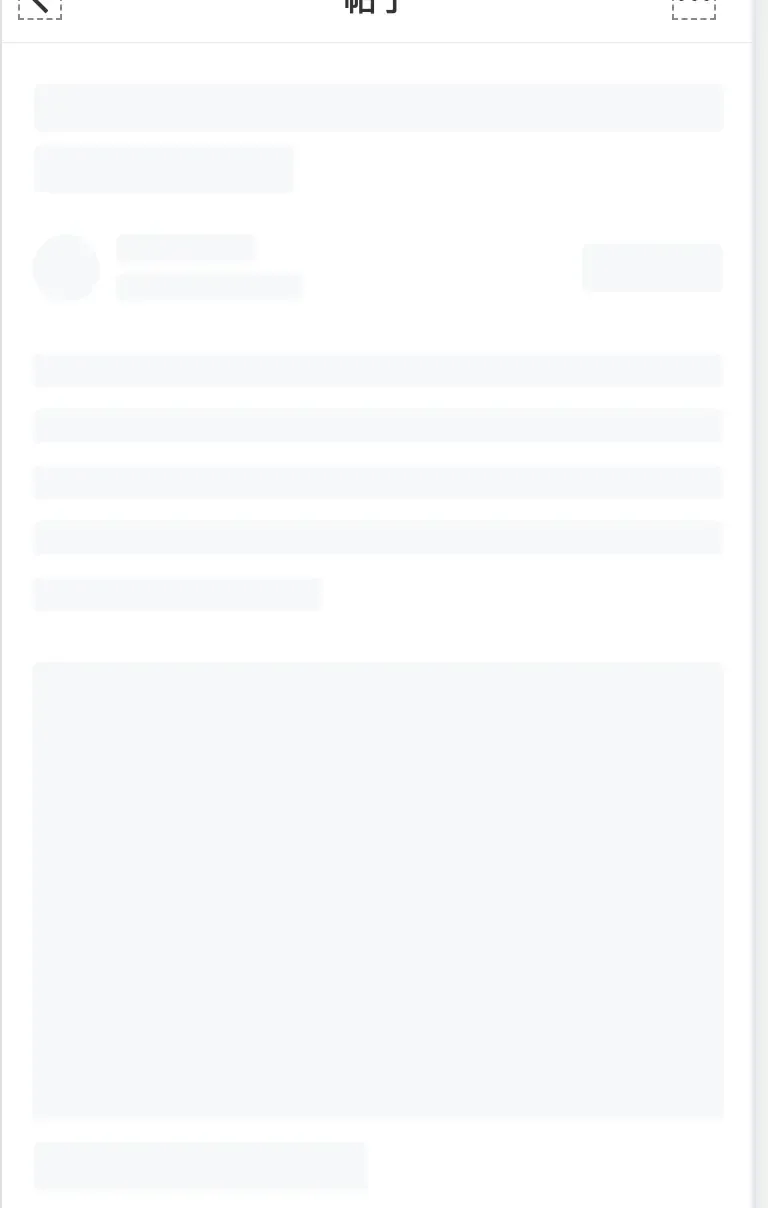
最简单的方式就是创建多个view进行排版,然后自定义view的layer层,在加上动画。直接上代码
代码
static NSInteger maskViewTag = 100111;

@implementation UIView (WBBLDetailSkeletonLoading)

- (void)addBLDetailSkeletonLoadMasking{

    UIView *maskView = [[UIView alloc] initWithFrame:self.bounds];
    [maskView setBackgroundColor:[UIColor wb_lightColorWithHex:0xffffff darkColorWithHex:0x000000]];
    [maskView setTag:maskViewTag];
    [self addSubview:maskView];

    UIView *titleTopView = [[UIView alloc] initWithFrame:CGRectMake(15, 20, kScreenWidth - 30, 24)];
    titleTopView.backgroundColor = [UIColor wb_lightColorWithHex:0xf6f8f9 darkColorWithHex:0x171717];
    titleTopView.layer.masksToBounds = YES;
    titleTopView.layer.cornerRadius = 3;
    [maskView addSubview:titleTopView];

    UIView *titleBottomView = [[UIView alloc] initWithFrame:CGRectMake(15, CGRectGetMaxY(titleTopView.frame) + 7, 130, 24)];
    titleBottomView.backgroundColor = [UIColor wb_lightColorWithHex:0xf6f8f9 darkColorWithHex:0x171717];
    titleBottomView.layer.masksToBounds = YES;
    titleBottomView.layer.cornerRadius = 3;
    [maskView addSubview:titleBottomView];

    UIView *userHeaderView = [[UIView alloc] initWithFrame:CGRectMake(15, CGRectGetMaxY(titleBottomView.frame) + 20, 34, 34)];
    userHeaderView.backgroundColor = [UIColor wb_lightColorWithHex:0xf6f8f9 darkColorWithHex:0x171717];
    userHeaderView.layer.masksToBounds = YES;
    userHeaderView.layer.cornerRadius = 34 / 2.0;
    [maskView addSubview:userHeaderView];

    UIView *userNameView = [[UIView alloc] initWithFrame:CGRectMake(CGRectGetMaxX(userHeaderView.frame) + 8, CGRectGetMaxY(titleBottomView.frame) + 20, 70, 14)];
    userNameView.backgroundColor = [UIColor wb_lightColorWithHex:0xf6f8f9 darkColorWithHex:0x171717];
    userNameView.layer.masksToBounds = YES;
    userNameView.layer.cornerRadius = 3;
    [maskView addSubview:userNameView];

    UIView *userInfoView = [[UIView alloc] initWithFrame:CGRectMake(CGRectGetMaxX(userHeaderView.frame) + 8, CGRectGetMaxY(userNameView.frame) + 5.5, 94, 14)];
    userInfoView.backgroundColor = [UIColor wb_lightColorWithHex:0xf6f8f9 darkColorWithHex:0x171717];
    userInfoView.layer.masksToBounds = YES;
    userInfoView.layer.cornerRadius = 3;
    [maskView addSubview:userInfoView];

    UIView *rightButtonView = [[UIView alloc] initWithFrame:CGRectMake(kScreenWidth - 70 - 15, CGRectGetMaxY(titleBottomView.frame) + 25.5, 70, 24)];
    rightButtonView.backgroundColor = [UIColor wb_lightColorWithHex:0xf6f8f9 darkColorWithHex:0x171717];
    rightButtonView.layer.masksToBounds = YES;
    rightButtonView.layer.cornerRadius = 3;
    [maskView addSubview:rightButtonView];

    NSInteger lineMsgNum = 5;
    CGFloat lineMsgViewWidth = kScreenWidth - 30;
    for (NSInteger i=0; i<=lineMsgNum; i++) {
        if (i==lineMsgNum) {
            lineMsgViewWidth = 145;
        }
        UIView *lineMsgView = [[UIView alloc] initWithFrame:CGRectMake(15, CGRectGetMaxY(userInfoView.frame) + 26 + i*28, lineMsgViewWidth, 17)];
        lineMsgView.backgroundColor = [UIColor wb_lightColorWithHex:0xf6f8f9 darkColorWithHex:0x171717];
        lineMsgView.layer.masksToBounds = YES;
        lineMsgView.layer.cornerRadius = 3;
        [maskView addSubview:lineMsgView];
    }
    CGFloat bottomLineMsgViewY = CGRectGetMaxY(userInfoView.frame) + 26 + lineMsgNum*28 + 17;

    UIView *contentView = [[UIView alloc] initWithFrame:CGRectMake(15, bottomLineMsgViewY + 25.5, kScreenWidth - 30, 229)];
    contentView.backgroundColor = [UIColor wb_lightColorWithHex:0xf6f8f9 darkColorWithHex:0x171717];
    contentView.layer.masksToBounds = YES;
    contentView.layer.cornerRadius = 3;
    [maskView addSubview:contentView];

    UIView *lastView = [[UIView alloc] initWithFrame:CGRectMake(15, CGRectGetMaxY(contentView.frame) + 11, 167, 24)];
    lastView.backgroundColor = [UIColor wb_lightColorWithHex:0xf6f8f9 darkColorWithHex:0x171717];
    lastView.layer.masksToBounds = YES;
    lastView.layer.cornerRadius = 3;
    [maskView addSubview:lastView];

    [self addLoadingAnimationWithSuperView:maskView];
}

- (void)addLoadingAnimationWithSuperView:(UIView *)superView{
    for (UIView *view in superView.subviews) {
        [self startAnimationWithView:view];
    }
}

- (void)dismissBLDetailSkeletonLoadMasking{
    if ([self viewWithTag:100111]) {
        [[self viewWithTag:100111] removeFromSuperview];//移除view
    }
}

- (void)startAnimationWithView:(UIView *)view{
    CAGradientLayer *bgViewLayer = [[CAGradientLayer alloc] init];
    bgViewLayer.backgroundColor = [UIColor clearColor].CGColor;
    bgViewLayer.frame = CGRectMake(-view.bounds.size.width, 0, view.bounds.size.width * 3, view.bounds.size.height);
    bgViewLayer.startPoint = CGPointMake(0, 0.5);
    bgViewLayer.endPoint = CGPointMake(1, 0.5);
    UIColor *startColor = [UIColor  wb_lightColorWithHex:0xf6f8f9 darkColorWithHex:0x171717];
    UIColor *endColor = [UIColor  wb_lightColorWithHex:0xe9ebee darkColorWithHex:0x121212];;
    bgViewLayer.colors = [NSArray arrayWithObjects:(__bridge id)startColor.CGColor,(__bridge id)endColor.CGColor,(__bridge id)startColor.CGColor, nil];
    bgViewLayer.locations = @[@0.25,@0.5,@0.75];

    CABasicAnimation* rotationAnimation;
    rotationAnimation = [CABasicAnimation animationWithKeyPath:@"locations"];
    rotationAnimation.fromValue = @[@0.0, @0.0, @.25];
    rotationAnimation.toValue = @[@0.75, @1.0, @1.0];
    rotationAnimation.duration = 3;
    rotationAnimation.repeatCount = 10000;
    rotationAnimation.removedOnCompletion = NO;
    [bgViewLayer addAnimation:rotationAnimation forKey:nil];
    [view.layer addSublayer:bgViewLayer];
}

@end
优势
- 轻量级,灵活可控,可以快速升级迭代
- 不用引入三方文件,减小包大小
特别鸣谢
iOS – 骨架屏自动生成方案
iOS-用户体验之骨架屏的实践
CAGradientLayer
CAGradientLayer苹果官网
文章均来自互联网如有不妥请联系作者删除QQ:314111741 地址:http://www.mqs.net/post/10557.html


添加新评论