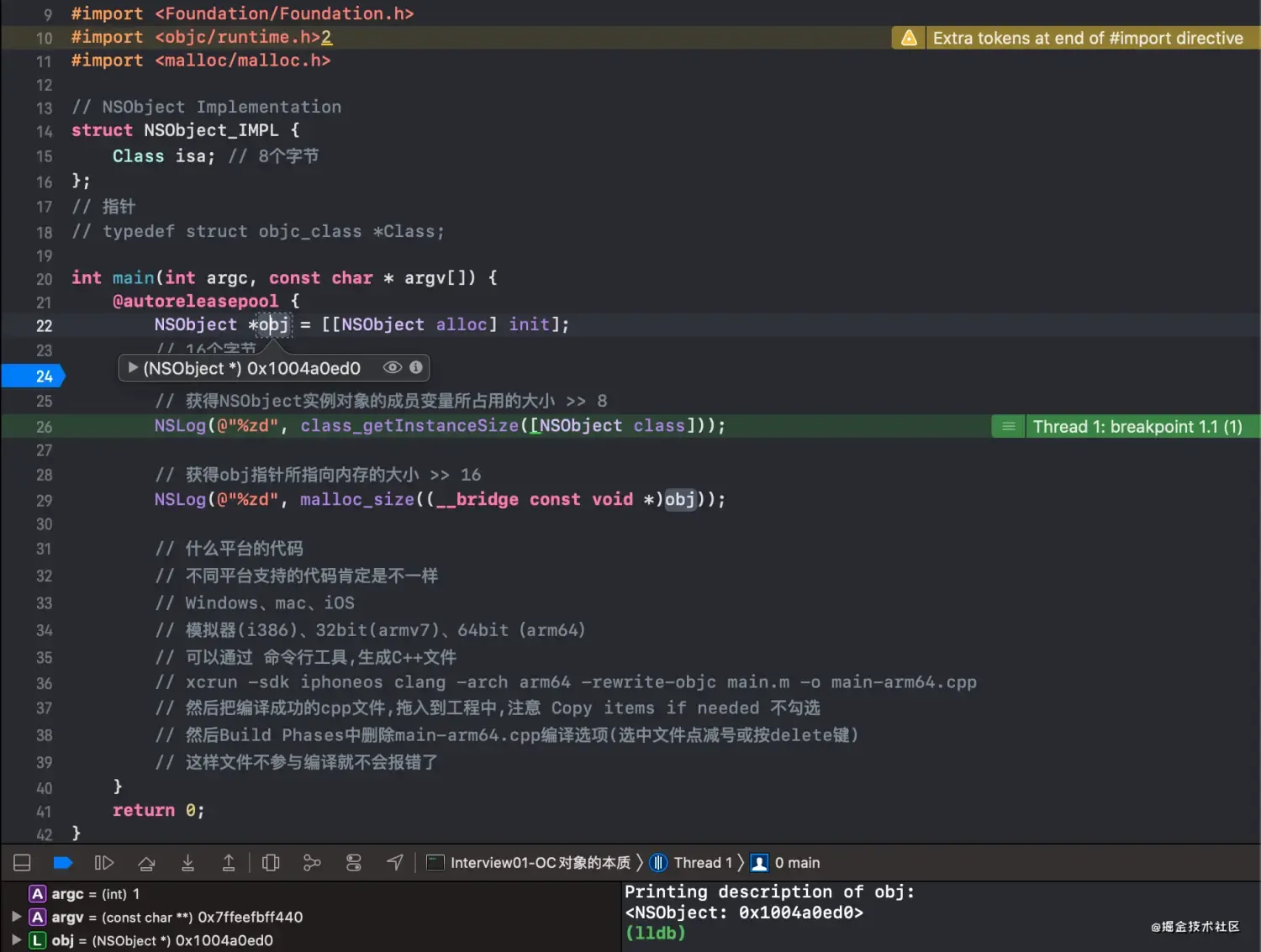
image.png
- 在
Xcode菜单栏选中Debug->Debug Workflow->View Memory
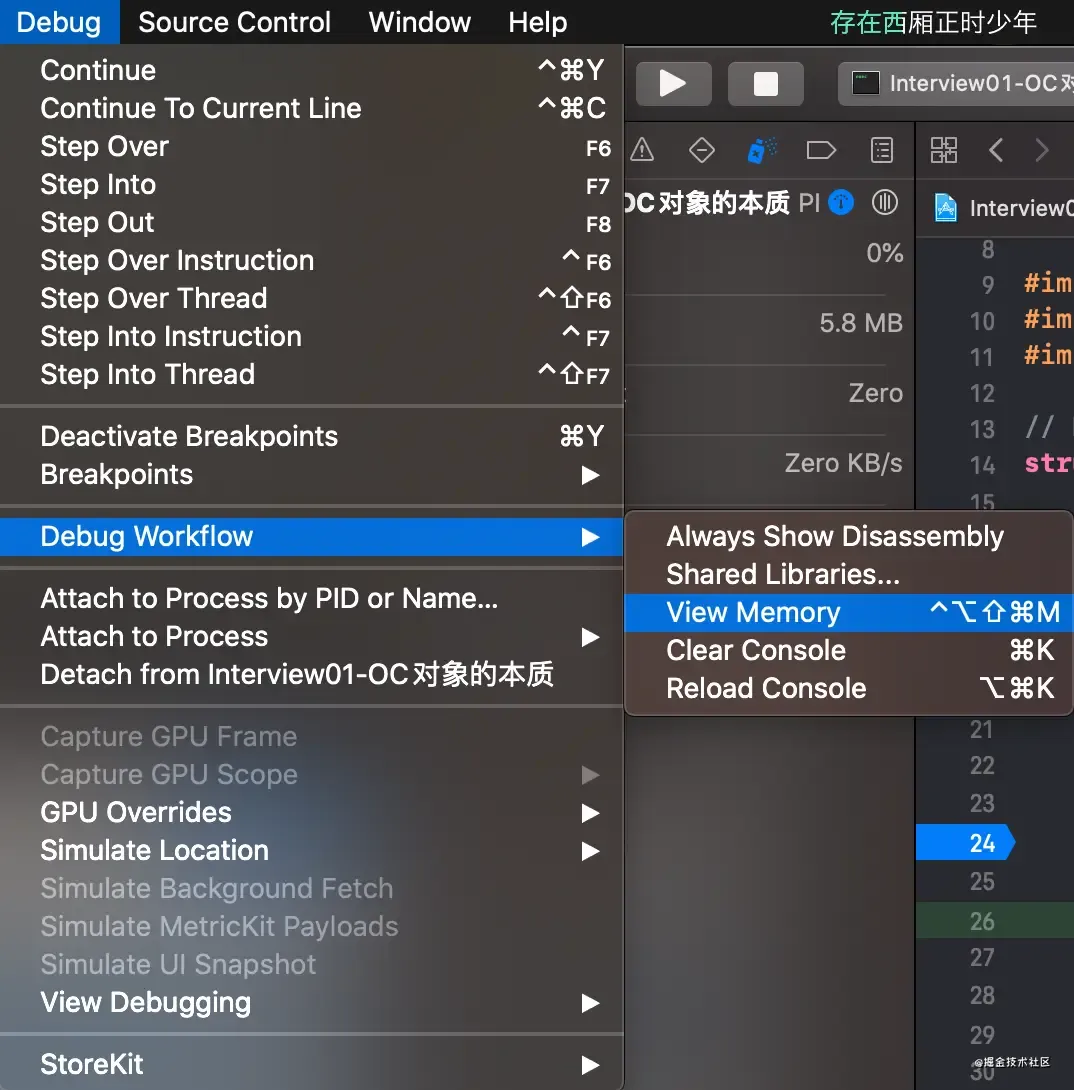
image.png
- 看到的内存结构如下图所示
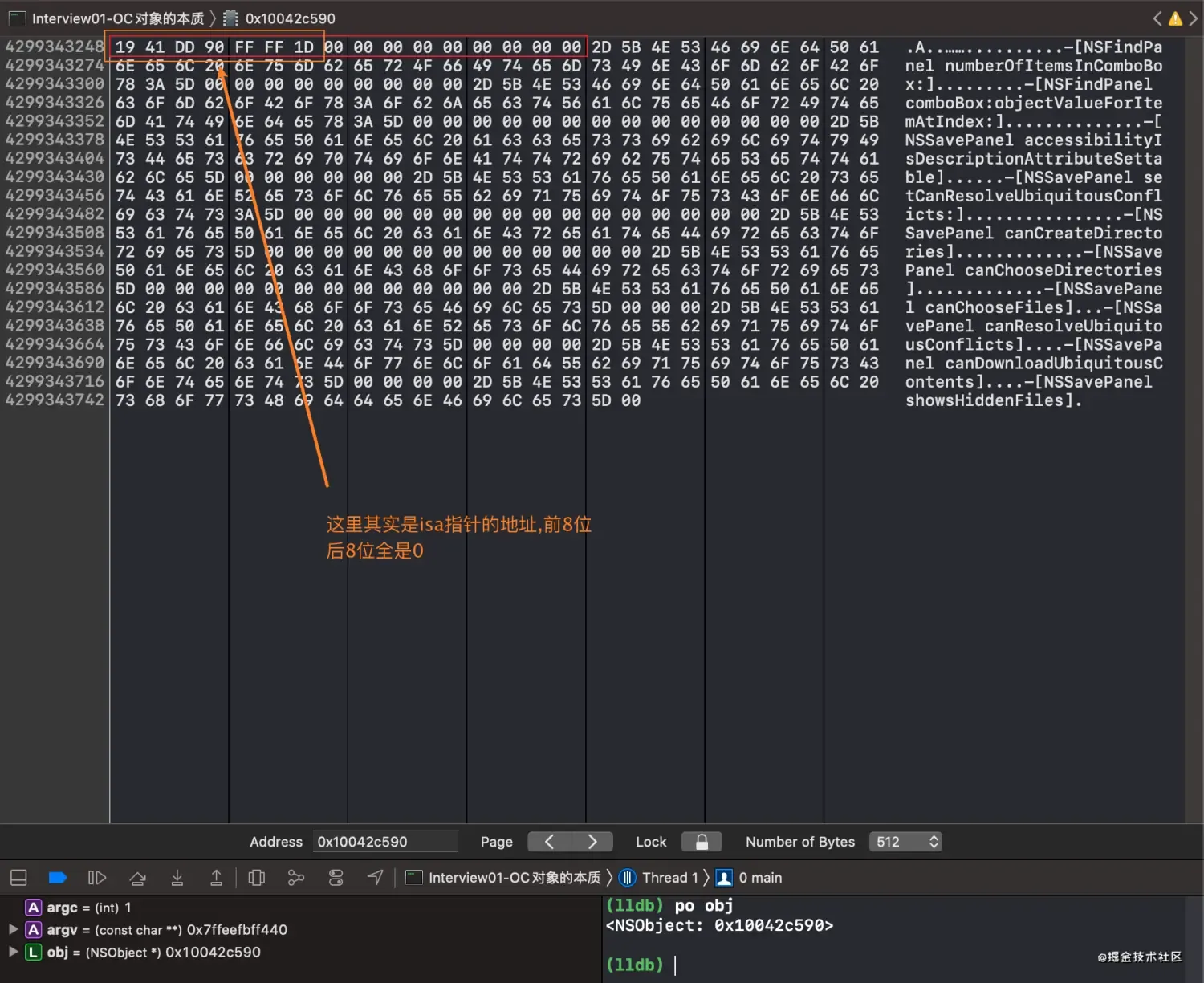
image.png
- 也可以用常用的LLDB指令查看
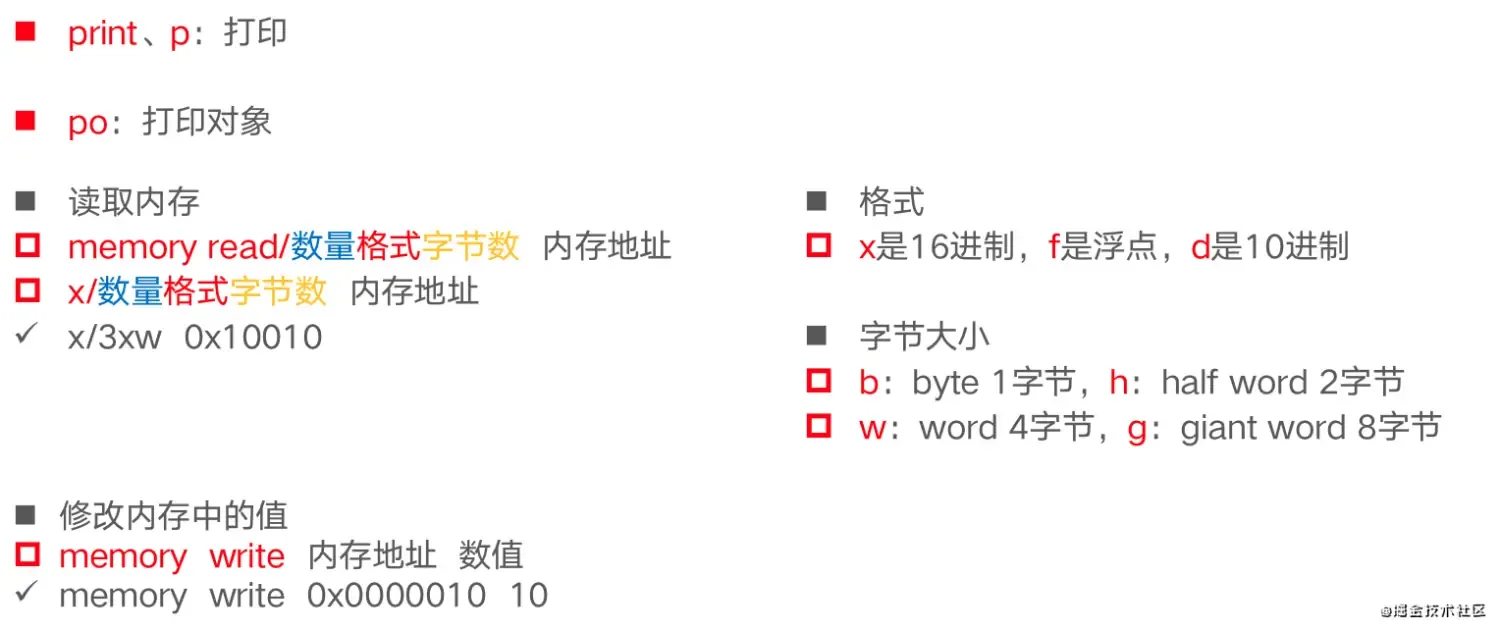
image.png
- 看到的打印如下图所示

image.png
总结
- 一个
NSObject对象占用多少字节
回答
- 系统分配了
16个字节给NSObject对象(通过malloc_size函数获得) - 但是
NSObject对象内部只使用了8个字节的空间(64bit环境下,可以通过class_getInstanceSize函数来获取),其实就是isa
扩展到有继承结构的对象
-
Student继承自NSObject - 代码结构如下
struct Student_IMPL {
    Class isa;
    int _no;
    int _age;
};


@interface Student : NSObject
{
    @public
    int _no;
    int _age;
}
@end

@implementation Student

@end

int main(int argc, const char * argv[]) {
    @autoreleasepool {
        Student *stu = [[Student alloc] init];
        stu->_no = 4;
        stu->_age = 5;

        // 16
        NSLog(@"%zd", class_getInstanceSize([Student class]));
        // 16
        NSLog(@"%zd", malloc_size((__bridge const void *)stu));

        struct Student_IMPL *stuImpl = (__bridge struct Student_IMPL *)stu;
        // no is 4, age is 5
        NSLog(@"no is %d, age is %d", stuImpl->_no, stuImpl->_age);
    }
    return 0;
}
- 大概的内存结构图
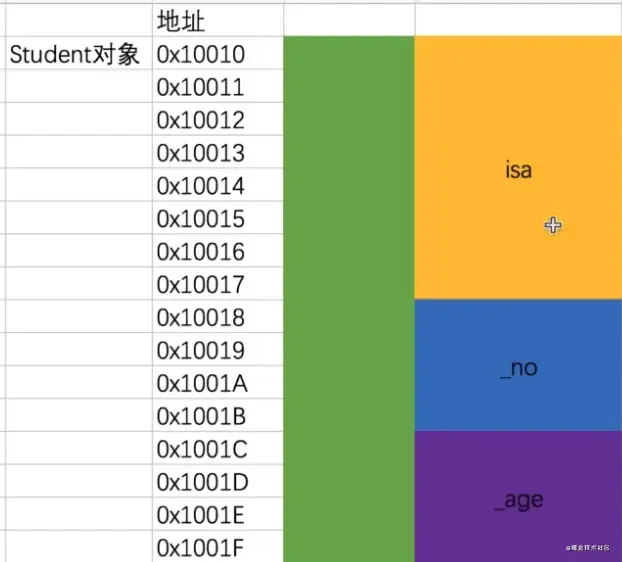
image.png
扩展到有多重继承的结构
- 如下图继承结构
@interface Person: NSObject
{
    int _age;
}
@end

@implementation Person

@end

@interface Student : Person
{
    int _no;
}
@end

@implementation Student

@end

int main(int argc, const char * argv[]) {
    @autoreleasepool {
        Person *person = [[Person alloc] init];
        // 16
        NSLog(@"person --- %zd", class_getInstanceSize([Student class]));
        // 16
        NSLog(@"person --- %zd", malloc_size((__bridge const void *)person));

        Student *stu = [[Student alloc] init];
        // 16
        NSLog(@"stu --- %zd", class_getInstanceSize([Student class]));
        // 16
        NSLog(@"stu --- %zd", malloc_size((__bridge const void *)stu));
    }
    return 0;
}
- 结构如下
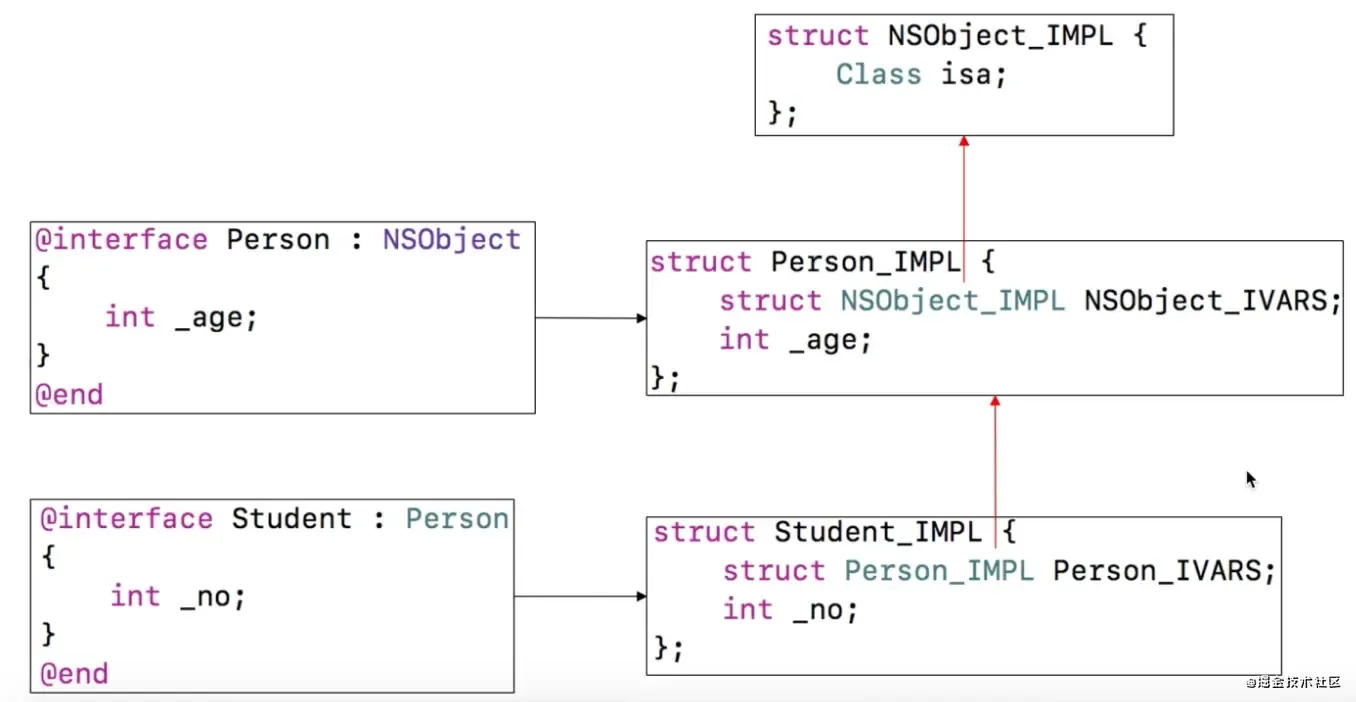
image.png
- 一个
Person对象,一个Student对象占用多少内存空间? - 答案是,都是16
- 大概的内存结构图
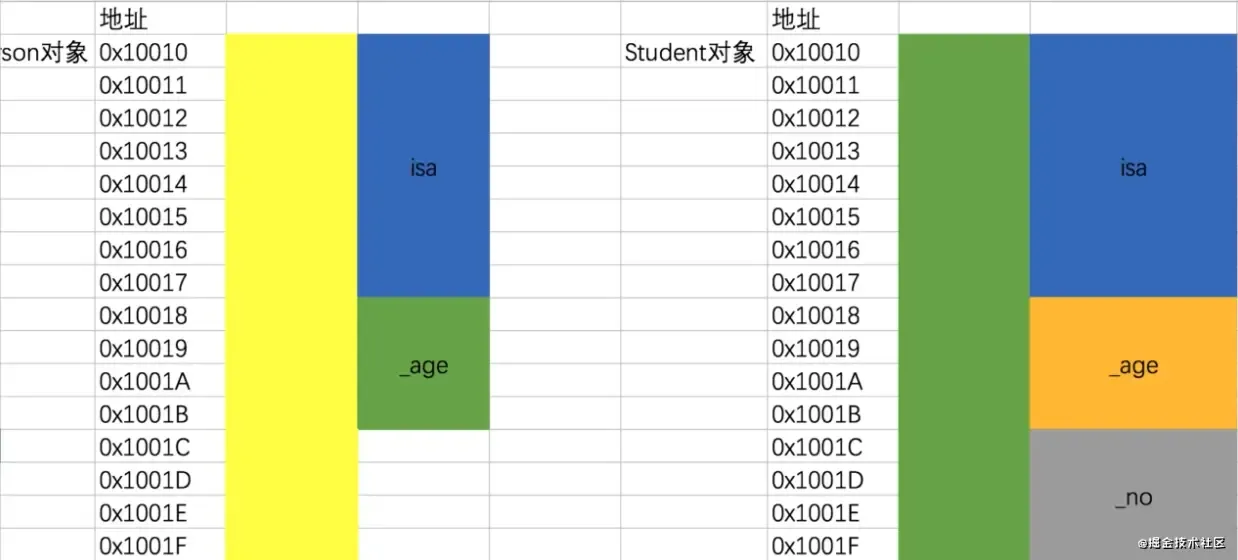
image.png
- 有内存对齐的原因,结构体的大小必须是最大成员大小(
16)的倍数
Objective-C不同数据类型占用字节大小
- 可以通过
sizeof来获取不同数据类型占用字节大小 -
sizeof其实不是一个函数,仅仅只是一个操作运算符罢了,编译时就确定了的
| 类型 | 32位机器 | 64位机器 |
|---|---|---|
| BOOL | 1 | 1 |
| bool | 1 | 1 |
| int | 4 | 4 |
| short | 2 | 2 |
| long | 4 | 8 |
| long long | 8 | 8 |
| NSInteger | 4 | 8 |
| float | 4 | 4 |
| double | 8 | 8 |
| CGFloat | 4 | 8 |
| char | 1 | 1 |
| 指针地址 | 4 | 8 |
文章均来自互联网如有不妥请联系作者删除QQ:314111741 地址:http://www.mqs.net/post/12475.html


添加新评论