
可复制代码:
if (self != [self.navigationController.viewControllers firstObject]) {//非一级页开启侧滑
//开启系统自带侧滑返回
if([self.navigationControllerrespondsToSelector:@selector(interactivePopGestureRecognizer)]) {
self.navigationController.interactivePopGestureRecognizer.delegate = (id)self;
}
}
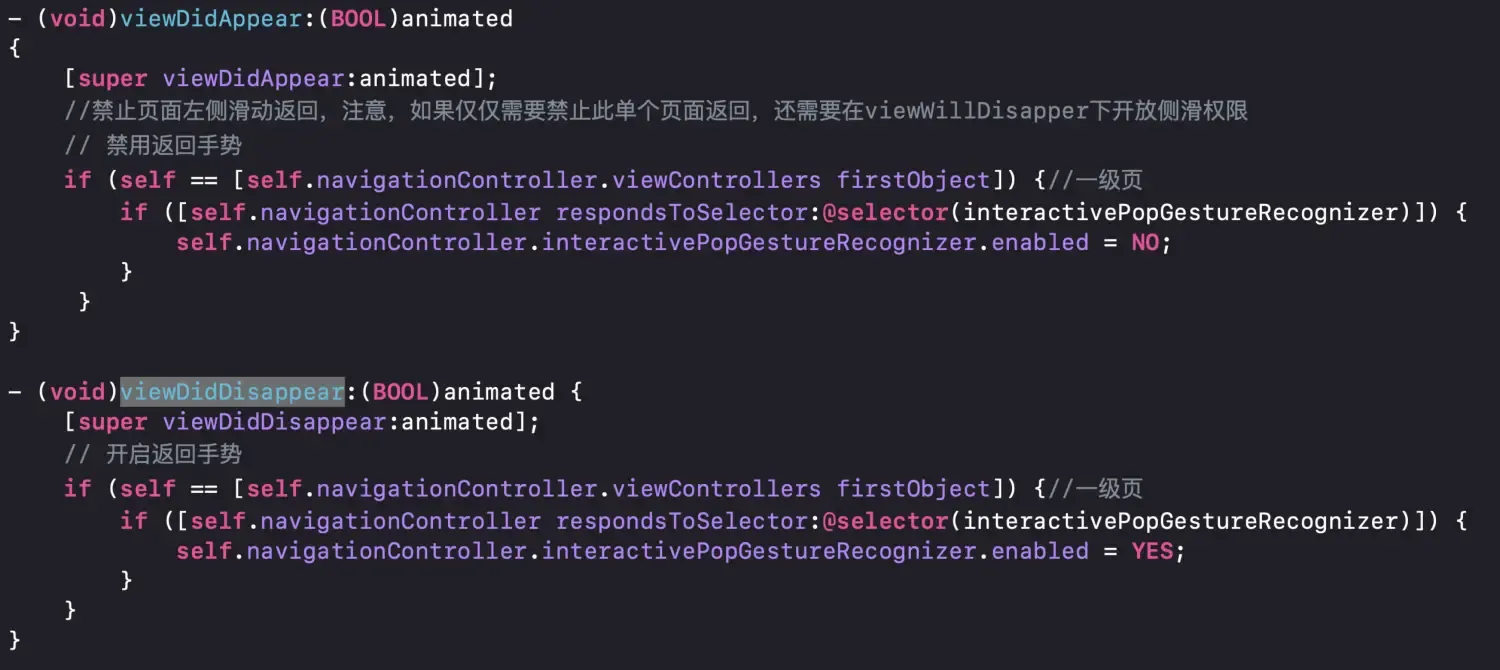
二:在viewDidAppear 和viewDidDisappear进行一级页面A的关闭开启侧滑处理
可复制代码
– (void)viewDidAppear:(BOOL)animated
{
[superviewDidAppear:animated];
//禁止页面左侧滑动返回,注意,如果仅仅需要禁止此单个页面返回,还需要在viewWillDisapper下开放侧滑权限
// 禁用返回手势
if (self == [self.navigationController.viewControllers firstObject]) {//一级页
if([self.navigationControllerrespondsToSelector:@selector(interactivePopGestureRecognizer)]) {
self.navigationController.interactivePopGestureRecognizer.enabled = NO;
}
}
}
– (void)viewDidDisappear:(BOOL)animated {
[superviewDidDisappear:animated];
// 开启返回手势
if (self == [self.navigationController.viewControllers firstObject]) {//一级页
if([self.navigationControllerrespondsToSelector:@selector(interactivePopGestureRecognizer)]) {
self.navigationController.interactivePopGestureRecognizer.enabled = YES;
}
}
}
文章均来自互联网如有不妥请联系作者删除QQ:314111741 地址:http://www.mqs.net/post/13868.html

添加新评论