image
3.1.2插入iconfont字体图标库:
@font-face {
    font-family: 'iconfont';
    src: url('http://at.alicdn.com/t/font_1274897_t3pj4anz7hg.eot');
    src: url('http://at.alicdn.com/t/font_1274897_t3pj4anz7hg.eot?#iefix') format('embedded-opentype'),
        url('http://at.alicdn.com/t/font_1274897_t3pj4anz7hg.woff2') format('woff2'),
        url('http://at.alicdn.com/t/font_1274897_t3pj4anz7hg.woff') format('woff'),
        url('http://at.alicdn.com/t/font_1274897_t3pj4anz7hg.ttf') format('truetype'),
        url('http://at.alicdn.com/t/font_1274897_t3pj4anz7hg.svg#iconfont') format('svg');
}

h1:before {
    font-family: "iconfont" !important;
    /* 一定要加 */
    content: "\e601";
    color: pink;
    font-size: 20px;
    width: 40px;
    height: 40px;
}

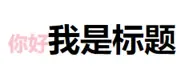
<h1>我是标题</h1>
根据效果图可以看到伪元素是inline元素类型

image
3.2清除浮动
解决浮动导致的父元素高度塌陷的问题
.clear:after {
     content: "";
     display: block;
     clear: both;
 }
 ul{
     background:pink;
 }
 li{
     float:left;
     margin:0 20px;
}
 <ul class="clear">
     <li>hello world</li>
     <li>hello world</li>
     <li>hello world</li>
     <li>hello world</li>
 </ul>
3.3分割线效果
p:before{
    content:'';
    display:inline-block;
    width:100px;
    height:2px;
    background:pink;
    margin:5px;
 }
 p:after{
    content:'';
    display:inline-block;
    width:100px;
    height:2px;
    background:pink;
    margin:5px;
 }

<p>分割线</p>
效果图:

3.4对话框效果
div {
    width: 180px;
    height: 36px;
    line-height: 36px;
    background: #c0eeff;
    border-radius: 5px;
    font-size: 14px;
    text-align: center;
    position: relative;
}

div:before {
    content: "";
    position: absolute;
    top: 10px;
    left: -14px;
    /* 画三角形 */
    width: 0;
    height: 0;
    border-top: 10px solid transparent;
    border-right: 20px solid #c0eeff;
    border-bottom: 10px solid transparent;
    border-left: 0 solid #c0eeff;

}

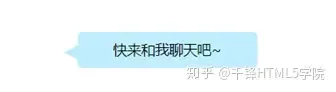
<div>快来和我聊天吧~</div>
效果图如下:
3.5 相片层叠效果
div {
    width: 400px;
    height: 300px;
    border: 8px solid #eee;
    position: relative;
}

div img {
    width: 100%;
    height: 100%;
}

div:before,
div:after {
    content: "";
    position: absolute;
    top: 0;
    left: 0;
    z-index: -1;
    width: 400px;
    height: 300px;
    border: 8px solid #eee;
    transform: rotate(8deg);
}

div:after {
    transform: rotate(-8deg);
}
<div>
    <img src="https://gitee.com/ay8yt/imageStore/raw/master/%E4%BA%8C%E9%98%B6%E6%AE%B5%E5%A4%A7%E7%BA%B2/%E5%9B%BE%E7%89%87/QQ%E6%88%AA%E5%9B%BE20200417104911.png">
</div>
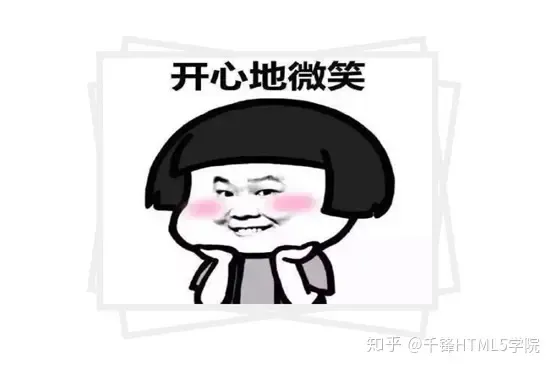
效果图如下:
总结
使用伪元素能实现的效果非常多,也可以减少网页中标签的使用,一起动手试试看伪元素的妙用技巧吧。
文章均来自互联网如有不妥请联系作者删除QQ:314111741 地址:http://www.mqs.net/post/15033.html

添加新评论